Somewhere in your company this week, someone pasted a customer list into a chat window to get a summary. Someone else switched on the AI feature inside the CRM because it was one click. A developer dropped an API key (a long password that lets one piece of software talk to another) into a settings file so an assistant could read the finance system.
None of them did anything wrong. They were trying to get work done. But each one opened a door into your data, and nobody is standing at it.
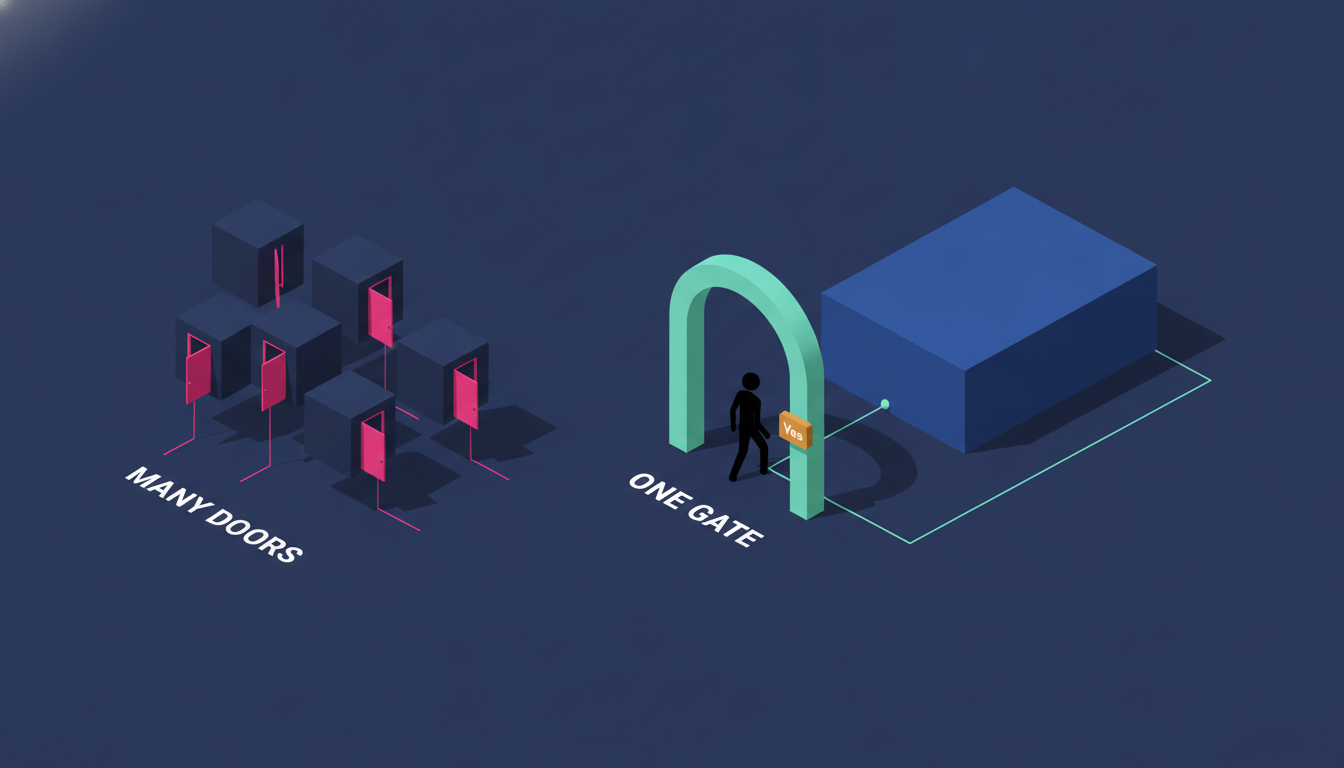
That is the choice every company is making right now, mostly without noticing: let AI in through many doors, or through one gate. One gate is the only secure model. Most companies cannot build one yet, because their data is spread across too many places for a gate to stand in front of. Edge8 built ours for every office, and the first layer went live in a single day, only because the boring work underneath was already done. I will show you exactly what we built and what to do first if you want the same.
The easy way in is a door nobody is watching
Companies that spread their work across distributed apps will spend years wiring AI into each one and still not keep it safe.
The easy way is obvious because every vendor is selling it. The CRM gets an AI assistant. The accounting tool gets one. The HR system gets one. Each lives inside its own app, with its own idea of who you are, its own logs if it has logs at all, and its own set of permissions that someone configured once and forgot.
Then there is the unofficial layer: the spreadsheet pasted into ChatGPT, the shared API key that three people know, the browser extension that reads every page. You will not find these on any diagram because nobody drew them.
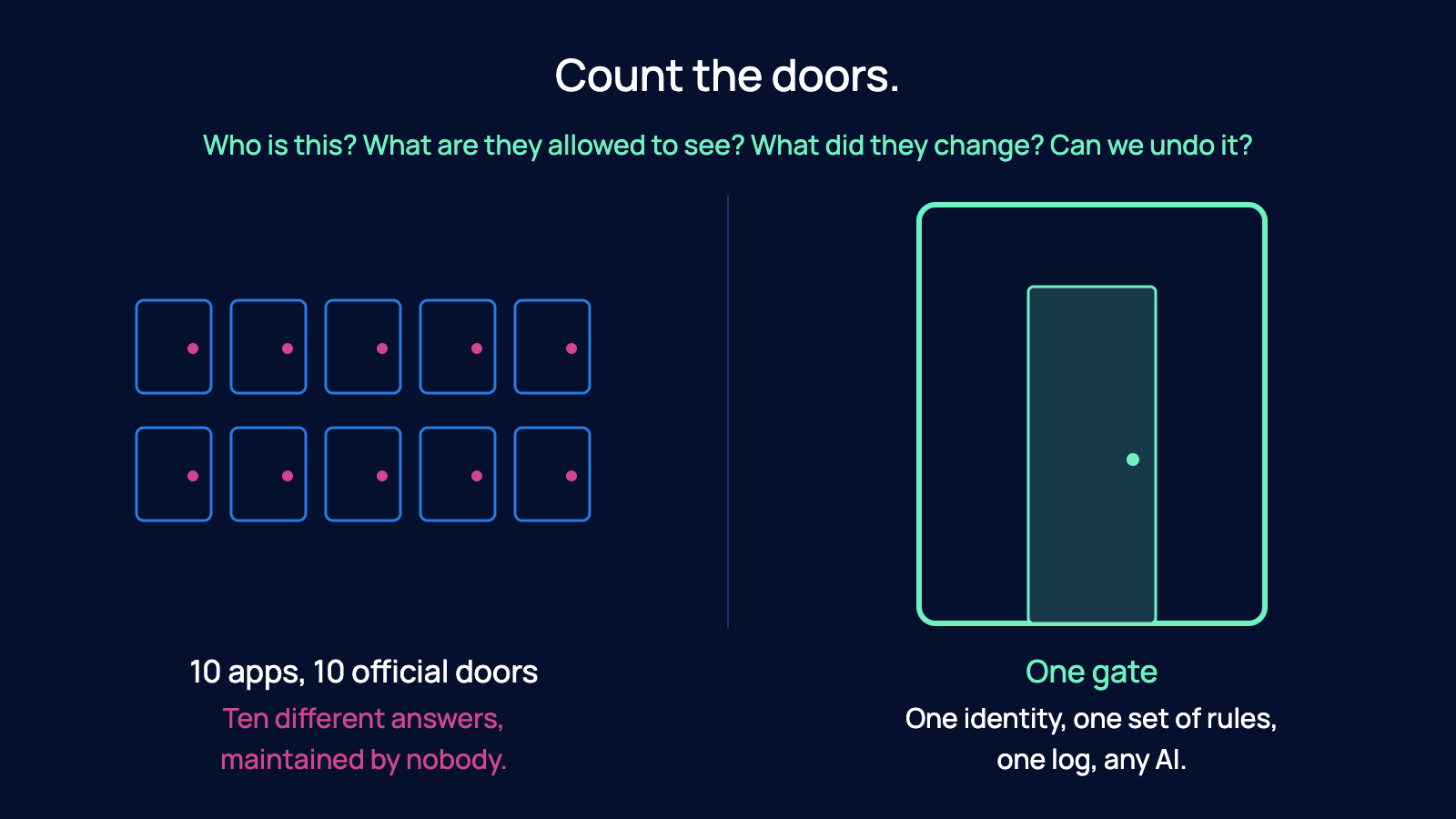
Count the doors. Most companies run on 8 to 10 apps, so they have 8 to 10 official doors and an unknown number of unofficial ones. Each one needs its own answer to the same questions: Who is this? What are they allowed to see? What did they change? Can we undo it? Ten different answers, maintained by nobody, is not a security model. It is a hope.
And the part that should worry you most: companies that spread their work across distributed apps will spend years wiring AI into each one, app by app, and still not be able to say with a straight face that it is safe. The work never ends because the doors keep multiplying. I wrote about AI and data security at the model level last year. The bigger risk now is not the model. It is the number of ways in.
One gate, owned by you
The alternative is one gate. In practice that gate is an MCP connector the company owns. MCP (the Model Context Protocol) is a standard way for an AI assistant to connect to a company's systems. Claude, ChatGPT, Grok, Cursor and most serious AI tools speak it. You build one connector, put it in front of your own database, and every AI your team uses comes in through it.
The gate does three things that a plugin never will.
First, it knows who is asking. Each request carries the person, signed in with their own password or an emailed link. Never a shared key.
Second, it gives that person exactly what their job needs and nothing more. Not raw access to the data. Named workflows: "book my leave", "add this receipt", "show me my open deals". The AI never touches a table directly. It calls a workflow that already exists, with the same rules the website enforces.
Third, it watches. Every change is previewed, confirmed by the person, and recorded with who made it and from which app.
That is the whole model. One identity, one set of rules, one log, any AI.
A gate only works on two foundations
Here is the catch, and it is the reason most companies cannot do this tomorrow.
You cannot put one gate in front of 10 apps. If your customer data lives in the CRM, your people data lives in the HR tool, your money lives in the accounting system and your projects live in three different trackers, there is no single place for a gate to stand. You would end up building 10 gates, which is just 10 doors with better paint.
So the first foundation is one home for your data. Everything the company runs on, in one database you own and can read. I have argued this comes before buying another tool. It also comes before letting AI in.
The second foundation is workflows the company really understands. The gate does not hand out data. It hands out actions, and you cannot hand out an action you have never written down. "Book leave" has to exist as a defined set of steps: who asks, who approves, what gets recorded, what happens next. If nobody has written down who does what in that workflow, the gate has nothing to offer the AI except a raw query into the database (the AI writing its own question straight to the data), which is exactly the thing we are trying to avoid.
Central data makes one gate possible. Understood workflows make it safe. Without both, you are back to doors.
This is also why a person with a chatbot is not a company with an AI system. The person is using AI. The company has no gate, no identity, no log. The difference is not the model. It never was. Your data is the moat, and the gate is how you let AI use it without giving it away.
Access follows the job
Nobody picks a connector or an office. They sign in once and the gate builds their toolkit from who they are, as a stack.

The piece founders find hardest to picture is how one gate gives everyone a different toolkit without anyone configuring anything. The answer is that nobody picks a connector or an office. They sign in once, and the gate builds their toolkit from who they are, as a stack.
The employee layer. Everyone gets this. Their own leave and booking time off. The policies. Dropping in a receipt and asking when it will be paid. Submitting a piece of research or an idea as a spark. This is the floor. A brand-new engineer on day one stands on it and nothing else.
The office layer. Their job adds their office on top. Revenue gets the CRM, deals, campaigns and brands. Operations gets approvals, finance and vendors. Talent gets coaching compliance, survey responses and the talent pool. Innovation gets sparks, research and ideas being built.
The manager layer. If they lead people, this adds their department's tools plus the Talent tools a manager needs: coaching, time off and reviews, for their own reports only. Not the whole company. Their people.
So a salesperson is employee plus Revenue. A head of sales is employee plus Revenue plus the manager layer for the sales team. An accountant is employee plus Operations. A new engineer is employee only.
Change someone's role once, in one register, and every AI they use changes with it. Promote the salesperson to head of sales and the next time they open Claude, the manager tools are there. Move someone out of finance and the vendor tools are gone from every assistant at once. No tickets, no per-app cleanup, no forgotten access sitting in a plugin somewhere.
That only works because there is one register of roles and one gate reading it. Ten apps means 10 registers, and you already know how that story ends.
What the gate guarantees
Written plainly, so you can hold your own setup against it:
- One identity. Each request is the person, signed in with their own password or emailed link. Never a shared key.
- The same permission rules as the website. If you cannot open the page, your AI cannot see the tool.
- Named workflows, not raw queries. Every action runs the same code as the website. The AI does not get to write its own question to the database.
- Nothing changes without a yes. Every write (any change to data) shows a preview and waits for the person to confirm. The AI drafts; the person decides.
- Every change is recorded with who made it and from which app.
- Any AI, same gate, same rules. Claude, ChatGPT, Grok, Cursor. The model does not matter. The gate does.
Number four is the one I would fight for hardest. Where the human sits is the whole design decision. I have argued that the confirm step is where AI workflows go right or wrong. The gate makes that step structural. It is not a policy you ask people to follow. It is a wall the AI cannot get past.
What we built
Edge8 runs one gate for every office. The first layer went from a written plan to production in a single day, with no new database tables and no new permission rules, because the data and the roles already lived in one place.
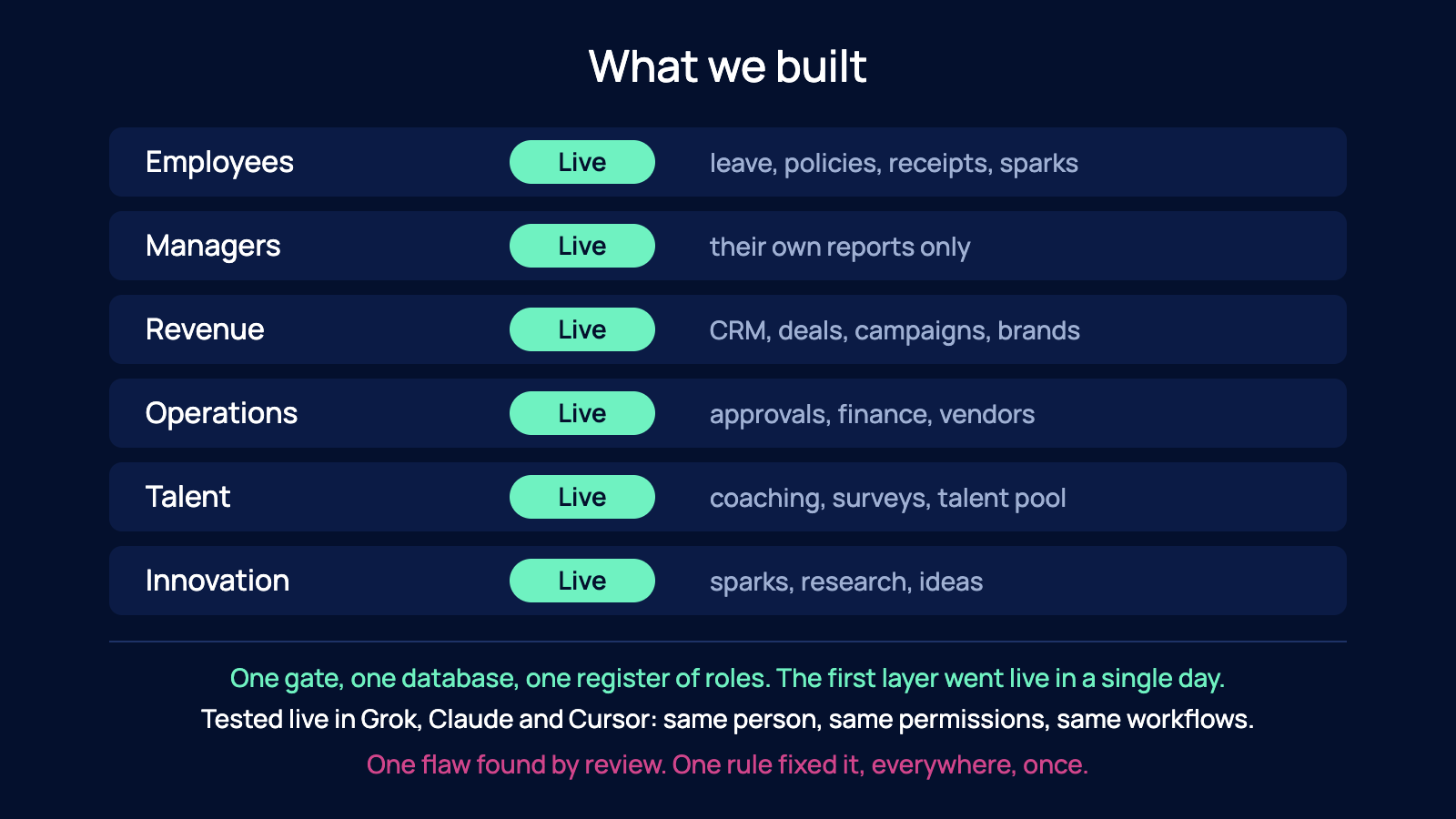
Edge8 built this gate for our own team, and it now serves every office. Here is exactly what happened.
The first layer, for employees, went from a written plan to production in a single day on 14 November 2026. Not because the team is magic, but because there were no new database tables to create and no new permission rules to write. The data and the roles already lived in one place. We had already done the foundations, which is the entire point of this post.
Booking leave from a chat runs the same code as the Time Off page on our site. Logging a receipt from a chat runs the same steps as the claims page, all the way through to the payment runs on the 1st and 15th. The AI reads the request, drafts the leave booking or the claim, and shows it. The person confirms. Then it is in the system exactly as if they had used the website.
Two independent security reviews looked at the gate. They found a flaw: an app's login could have acted as a full website login. That is a real hole and I am not going to pretend otherwise. But because there is one gate, the fix was one rule, applied everywhere, once. In a 10-door setup that same flaw would be 10 separate fixes, each discovered separately, if it was discovered at all.
We tested it live in Grok, Claude and Cursor. Same person, same permissions, same workflows, three different assistants.
Then we did the same for every office. Managers, Revenue, Operations, Talent and Innovation each needed no new foundation: the roles were already in the register and the workflows were already written down, so each one followed the pattern that took a day for employees. One gate, one database, six ways in.
This is what a Company OS built around the business buys you. The gate was not a project. It was a door on a house that was already standing.
Do this first; the gate is the easy part
If you take one thing from this: the gate is not the hard part. The foundations are.
So do not start by shopping for AI connectors. Start here.
Centralize the data. Pick one home for the records your company runs on: people, customers, money, work. One database you own and can read. If you cannot name that place today, that is the first job and nothing else is urgent.
Write down the workflows. For each thing your team does that touches that data, write who asks, who decides, what gets recorded. Start with the boring ones: leave, receipts, approvals. Those are the ones your people will ask an AI to do first.
Then build the gate. With data in one place and workflows on paper, the gate is a connector that reads your roles and exposes your workflows. It is the smallest piece of the whole thing.
And at every step, hold the line on the split that matters: the AI drafts and runs the workflow, the person decides and confirms. That is not a limitation on AI. That is the reason you can let it in at all.
If you are not sure your data is in a shape that allows one gate, reply and tell me what you are running on today: where your records live, and whether anyone has written down how leave or receipts actually get handled. I will tell you which foundation is missing and what to fix first.
FAQ
How do I let my team use AI on company data without opening a security hole every time someone adds a plugin or pastes a spreadsheet into a chat?
Put one gate in front of your data instead of letting AI in through many doors. In practice that gate is an MCP connector you own (MCP, the Model Context Protocol, is a standard way for an AI assistant to connect to a company's systems), placed in front of one database, so every AI your team uses comes in through it with one identity, one set of rules and one log. The alternative is what most companies have today: most companies run on 8 to 10 apps, so they have that many official doors plus an unknown number of unofficial ones, each with its own permissions and its own logs if it has logs at all. Edge8 built its own gate for every office, with the first layer live in a single day, and only because the data and the roles already lived in one place.
Why can't I just switch on the AI feature inside each app we already use and call it secure?
Because each plugin is a separate door with its own idea of who you are, its own permissions someone configured once and forgot, and its own logs. With 10 apps that is 10 different answers to who is asking, what they can see and whether you can undo it, maintained by nobody, and companies that go app by app will spend years wiring AI in and still not be able to say it is safe. Edge8's own build shows the difference: two independent security reviews found a flaw where an app's login could have acted as a full website login, and because there was one gate the fix was one rule applied everywhere, once. In a 10-door setup that same flaw would be 10 separate fixes, each discovered separately, if discovered at all.
What has to be in place before I give an AI assistant access to our company systems?
Two foundations, and they are the hard part. First, one home for your data: everything the company runs on in one database you own and can read, because you cannot put one gate in front of 10 apps, you would end up building 10 gates, which is just 10 doors with better paint. Second, workflows written down, meaning for things like booking leave or logging a receipt you know who asks, who approves and what gets recorded, because the gate hands out named actions rather than raw data. Edge8 had both done already, which is why its first layer went from a written plan to production in a single day and every office followed with no new database tables and no new permission rules.
How do I make sure each person's AI assistant only sees what their job allows, without configuring every tool by hand?
Build access as a stack from one register of roles, so nobody configures anything per app. In Edge8's model there are three layers: everyone gets the employee layer (their own leave, policies, receipts, ideas), their job adds their office layer (Revenue gets the CRM and deals, Operations gets approvals, finance and vendors, Talent gets coaching and surveys, Innovation gets research), and people who lead others get a manager layer for their own reports only. A salesperson is employee plus Revenue; an accountant is employee plus Operations; a new engineer on day one is employee only. Change the role once in that one register and every AI the person uses changes with it, whereas 10 apps means 10 registers to clean up by hand.
Can I stop an AI from changing company records on its own and make sure a person approves every change?
Yes, and it should be a wall the AI cannot get past rather than a policy you ask people to follow. Of the six things a proper gate guarantees, the one worth fighting for hardest is that nothing changes without a yes: every write shows a preview, waits for the person to confirm, and is recorded with who made it and from which app. In Edge8's own gate, booking leave from a chat runs the same code as the Time Off page and logging a receipt runs the same steps as the claims page, through to the payment runs on the 1st and 15th, with the AI drafting and the person deciding. It was tested live in three different assistants (Grok, Claude and Cursor) with the same person, the same permissions and the same workflows.