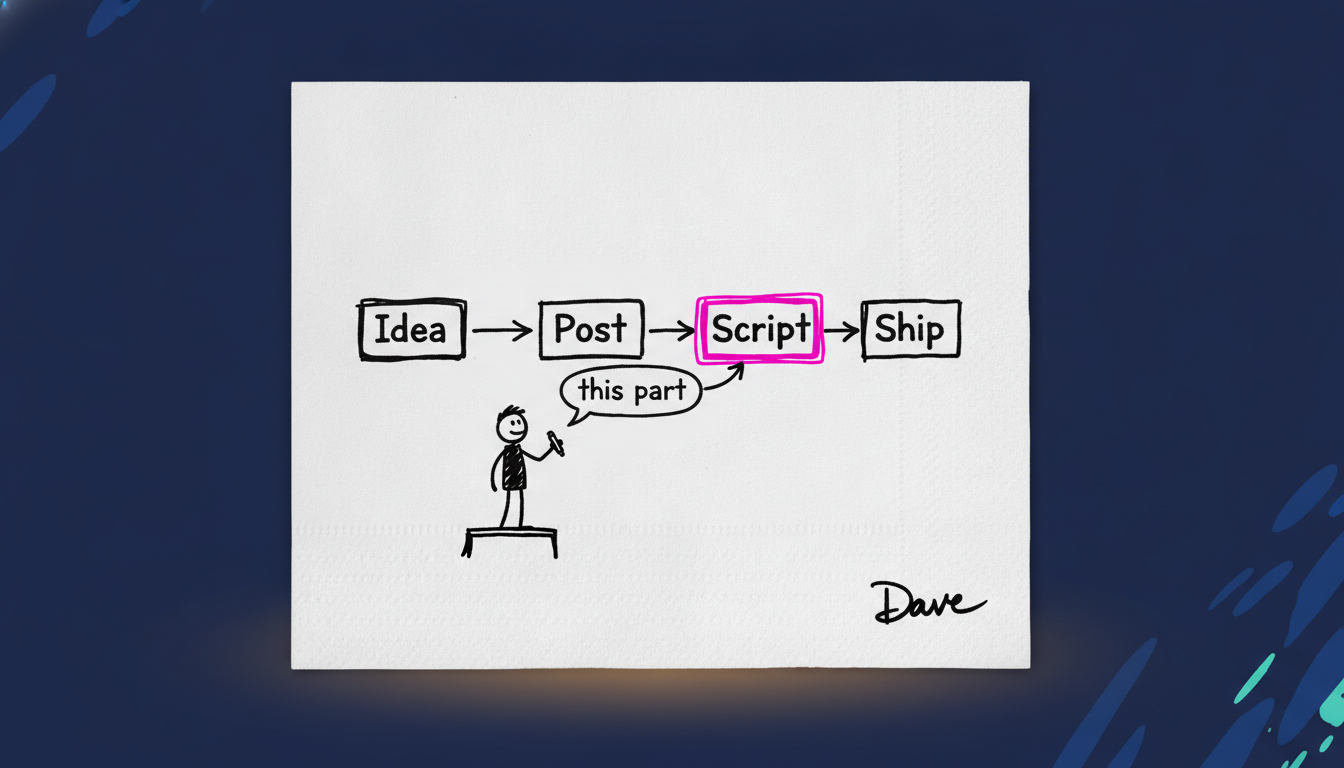
You already know you should be making video. You also know what it costs. A camera, a quiet room, six takes because you stumbled on the second sentence, an editor you have to chase, and a week you do not get back. So the video does not get made, and the message your prospects most need to understand stays locked inside a blog post they will not read.
That is the real cost, and it is higher than the filming. Short-form video is now how people take in a message. Often they watch the clip instead of reading the caption or the blog post underneath it. The prospects you most want to close are the ones with the least time to read, and a short clip gets your argument into their head faster than anything else you can send them. You are not making video to become a creator. You are making it because that is where their attention already is.
Here is the fix. At Edge8 we make most of our video without filming anything. It takes a process, not a studio, and I am going to give you the exact one we use, step by step. Then I am going to tell you the catch, because there is one, and it is the same catch that sits under every AI decision you are making right now.
What we actually use at Edge8
We use a mix. Most of our video is motion graphics, meaning animated text, shapes and diagrams rather than filmed footage. We make those with Claude (Opus 5.5, and now Fable 5.2). When there is time, we add our own voiceover and a little live video, because real faces still count. A founder on camera for a few seconds does something a graphic cannot.
But the live footage is the garnish, not the meal. The process below is how the meal gets made, and the order matters more than the tools.
First, decide what the video is for
We have about 50 leads in the pipeline, so our videos aren't for lead generation. They simplify the message for warm prospects we're trying to close.
Before the first step, decide the video's job. Most video gets made without one, and it shows.
We have about 50 leads in the pipeline. So our videos are not for lead generation. They simplify the message for warm prospects, meaning people already in conversation with us, that we are trying to close. The video exists to make the next call shorter and the decision clearer.
That changes everything about how we make it. We are not chasing views. We are not optimizing for an algorithm. We are answering the question a specific founder asked us on Thursday, in a format they will actually watch. A video built for strangers and a video built for someone who already took a call are different videos, with different scripts. If your pipeline looks like ours, that is the job your video should have too. If it does not, pick the job on purpose. Every choice below, from the script to the voiceover, follows from it.
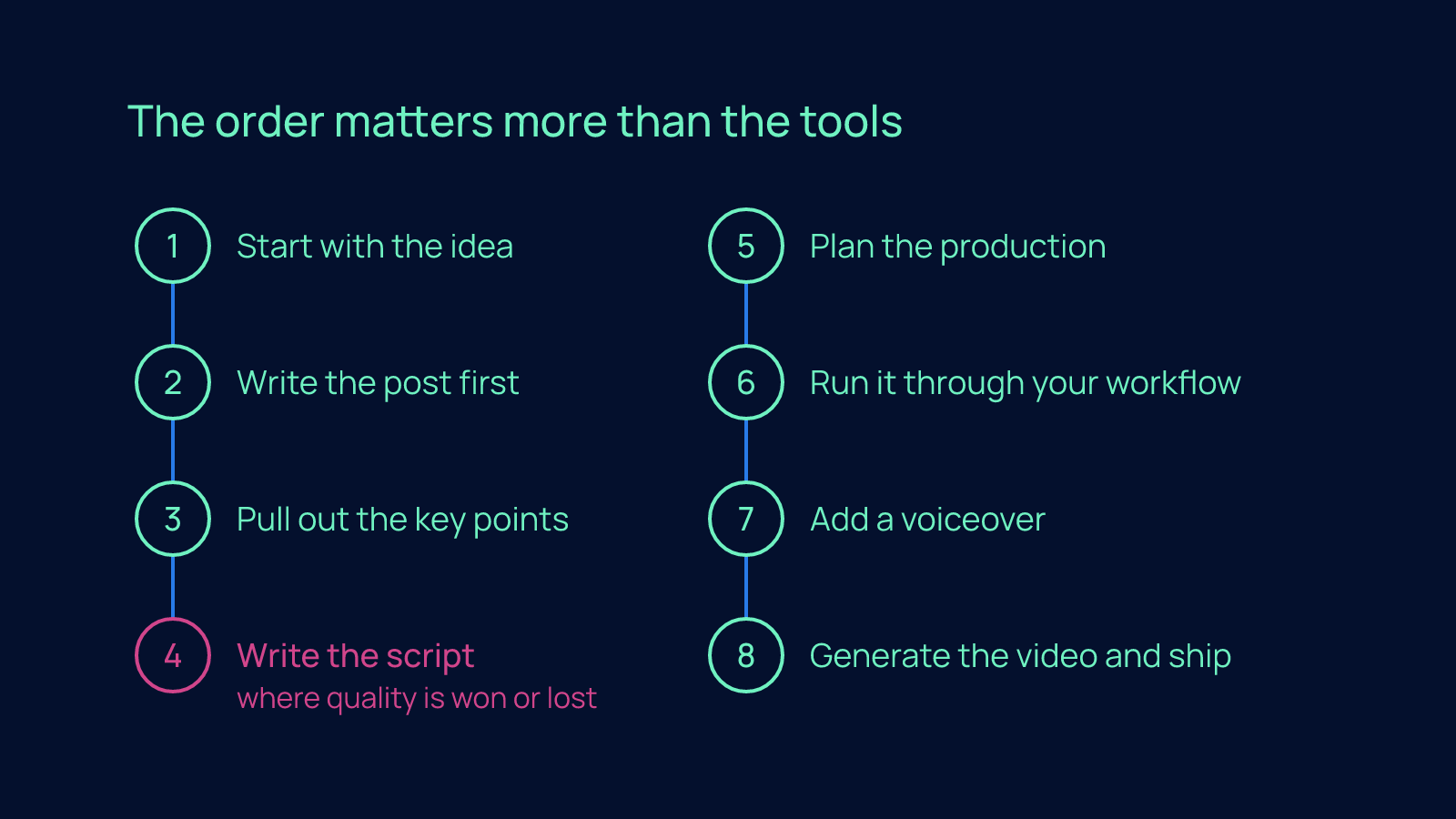
Step 1: Start with the idea
Talk it through with someone, or with yourself. This is the most important step, and it is the one founders skip because it does not feel like work.
If you cannot say in two sentences what the video is for and what the viewer should think when it ends, nothing downstream will save it. Better tools, better voices, better graphics: none of it fixes a vague idea. It just makes the vagueness look expensive.
Step 2: Write the post first
Do this before any video work. The written post is the thinking. It forces you to put the argument in order, find the weak link, and decide what you are actually claiming.
Founders want to skip to the fun part. Resist it. If the argument does not hold up in writing, it will not hold up in motion, and you will find that out after you have spent the time, not before. The post is also the raw material for everything that follows, which is why it cannot be skipped.
Step 3: Pull out the key points
Go back through the post and pull out the points the video has to hit. Not everything the post says. Only the beats that, if missed, mean the viewer walks away with the wrong message.
This is where you cut. A post can afford nuance. A short video cannot. The discipline of choosing what stays is most of what separates a video people finish from one they scroll past. If you cannot cut, you have not decided what the video is for. Go back to the job.
Step 4: Write the script
Write the script. This is where quality is won or lost.
This is where quality is won or lost.
The script is the video. Every word of voiceover, every on-screen label, every transition is decided here. Hand a thin script to the best motion designer alive and you get a polished version of thin. Hand a sharp script to a decent tool and you get something a prospect will remember. A sharp script says one thing per scene, and it tells the viewer why it matters to them before it tells them what it is.
Write it the way you talk across the table. Short sentences. One point at a time. Read it out loud and cut anything you would not say to a founder in person.
Step 5: Plan the production
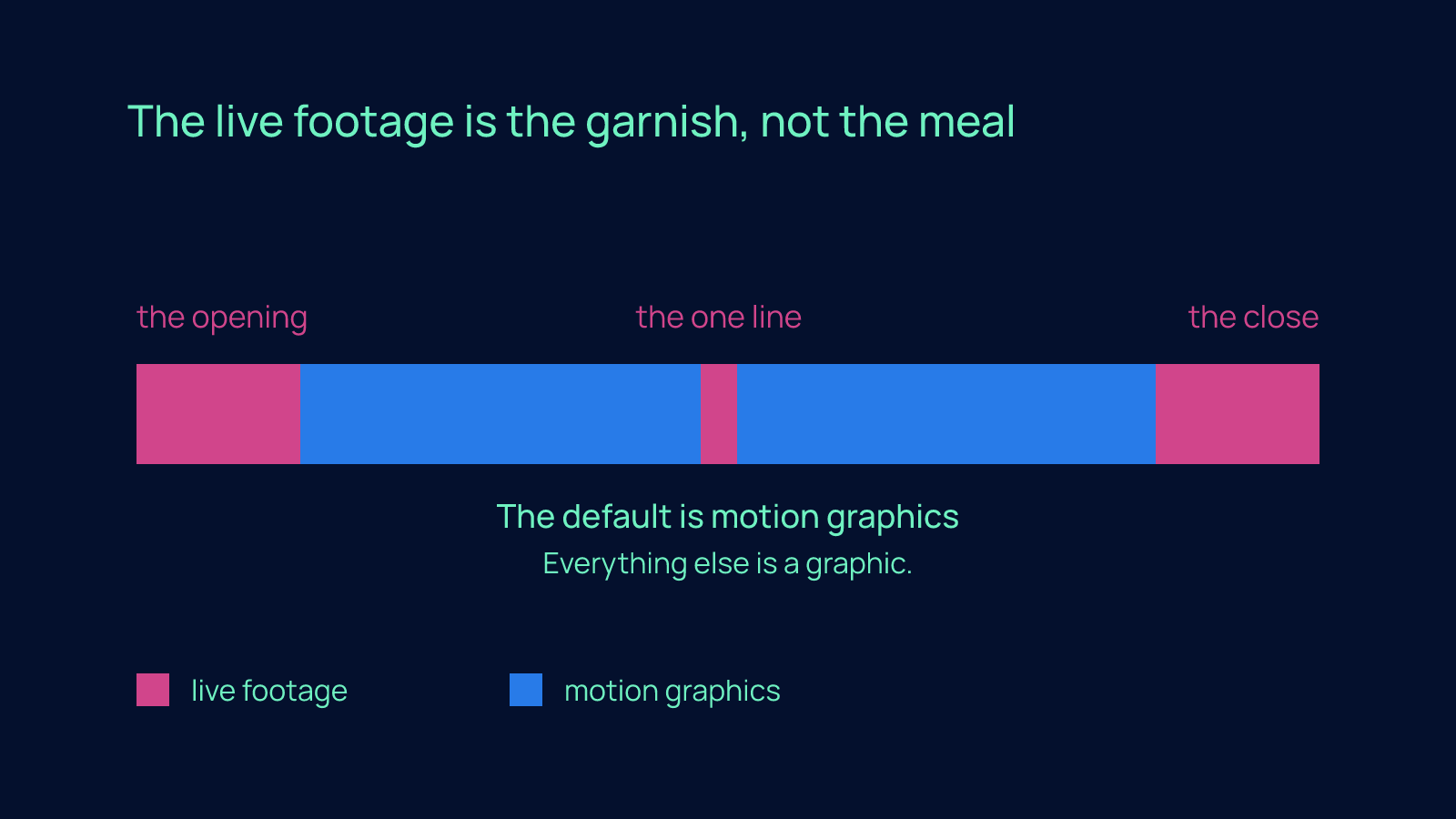
Decide the scenes, the visuals and the pacing. Then choose, for each part, whether it is motion graphics or live footage.
The default is motion graphics, because it is fast and it does not require you to be camera-ready on a Tuesday afternoon. Save live footage for the moments where a real person changes how the message lands: the opening, the close, the one line you want them to hear from you and nobody else. Everything else is a graphic.
Step 6: Run it through your workflow
A workflow, in plain language, is a saved set of instructions the AI follows every single time, so you are not re-explaining your company from scratch for each video. Ours carries our brand style guide and our motion-graphic style guides: the colors, the typeface, the way text moves, what we never do.
This is what makes the output look like Edge8 instead of looking like everyone else's AI video. Build the workflow once. Then every video starts from your standards instead of from a blank page. If you do not have a style guide yet, write down what you would correct in someone else's version of your video. That is a style guide.
Step 7: Add a voiceover
Either recorded live or with a cloned voice, meaning an AI model trained on recordings of your own voice so it can read a script the way you would.
Record it yourself when you can. The cloned voice is for the weeks when you cannot, and it keeps the video sounding like you rather than like a narrator you found on a website.
Step 8: Generate the video and ship
Generate it, then review it against the script and the key points from Step 3, not against your mood on the day. If a key point is missing, the fix is in the script, not in the render. Then send it. Done is the goal. The second video gets easier, and the fifth one takes an afternoon.
The catch: AI video on its own is average
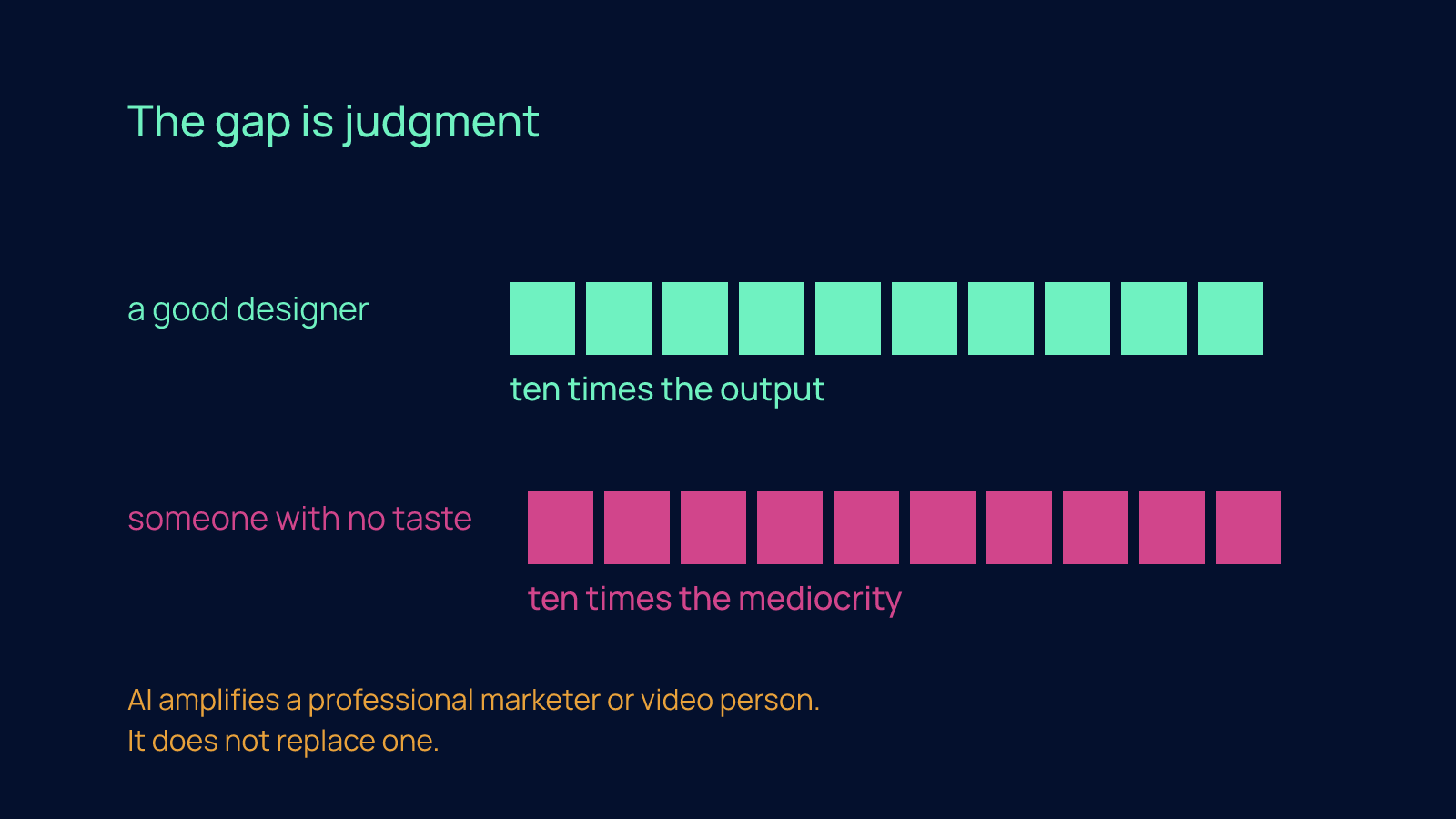
AI video on its own is average. Ours is never as good as when our motion designer directs it. AI amplifies a professional marketer or video person; it doesn't replace one.
Now the part most people selling you AI tools will not say out loud.
AI video on its own is average. Ours is never as good as when our motion designer directs it. Same tools, same workflow, same script, and the version with a professional's judgment behind it is clearly better. Every time. The gap is judgment: which beat to hold, which to cut, when the motion is doing work and when it is just moving.
AI amplifies a professional marketer or video person. It does not replace one. The tool gives a good designer ten times the output. It gives someone with no taste ten times the mediocrity.
That is not an argument against the process above. It is an argument for being honest about what the process gives you. Without a pro in the loop, you get video that is good enough to explain your message clearly, which is often all you need. With a pro in the loop, you get video that is good enough to be the message.
The person carries the tool
That catch is not about video. It is the same catch under every AI decision in front of you.
I have sat across the table from a lot of founders who bought a tool, or put their trust in someone who talked fluently about tools, and expected the tool to carry the work. It never does. The person who knows the work carries the tool. The motion designer who makes our video better is not better at prompting. They are better at video, and the AI gives them more of it.
The same rule runs through every step above. The idea comes before the script. The post comes before the video. The workflow carries your standards instead of inventing them. If the thinking is not clear, the output will not be either. AI makes clear thinking cheaper to execute. It does not make it optional.
Your next step
Pick one message your warm prospects keep misunderstanding. Write the post. Pull the key points. Write the script. Ship one video this week, built on the process above, and watch what happens on the next sales call.
Then reply and tell me which message you picked and how that call changed. That is the whole point of the process: not a video, a shorter path to yes.
FAQ
How do I make short-form video for my company with AI without losing my week to filming?
Treat it as a process, not a studio, and film almost nothing. Start by writing the post, pull out the key points the video must hit, write a script that says one thing per scene, plan which parts are motion graphics and which are live footage, run it through a saved workflow that carries your brand style guide, add a voiceover, then generate and ship. The old way costs a camera, a quiet room, six takes because you stumbled on the second sentence, and a week you do not get back; with this process the second video gets easier and the fifth one takes an afternoon.
Is AI-generated video good enough on its own, or do I still need a motion designer?
On its own, AI video is average. The same tools, workflow and script produce a clearly better result every time when a professional motion designer directs them, because the gap is judgment: which beat to hold, which to cut, when the motion is doing work. AI gives a good designer ten times the output and gives someone with no taste ten times the mediocrity, so without a pro you get video that explains your message clearly, and with one you get video that is the message.
What should my company's short videos actually be for, getting leads or closing deals?
Decide the job before you make anything, because most video gets made without one and it shows. A company with about 50 leads already in the pipeline does not need video for lead generation; it needs video that simplifies the message for warm prospects already in conversation, so the next call is shorter and the decision clearer. A video built for strangers and a video built for someone who already took a call are different videos with different scripts, so pick the job on purpose and let every choice follow from it.
Why does my AI video look vague and generic even with good tools?
Because the thinking was never clear before the tools got involved. If you cannot say in two sentences what the video is for and what the viewer should think when it ends, better voices and graphics only make the vagueness look expensive. Write the post first to find the weak link in the argument, then write the script the way you talk across the table, short sentences and one point at a time, and review the finished render against the script rather than against your mood that day.
When should I use live footage versus animated graphics in a company video?
Make motion graphics the default, because they are fast and do not require you to be camera-ready on a Tuesday afternoon. Save live footage for the moments where a real person changes how the message lands: the opening, the close, and the one line you want them to hear from you and nobody else. That keeps the cost of filming, the six takes and the editor you have to chase, limited to a few seconds of footage instead of a full week.